Academic lab — FSI M2, application security module. Target: OWASP Juice Shop, an intentionally vulnerable e-commerce application. Goal: systematically exploit vulnerabilities across four difficulty tiers.
Environment
Browser: Mozilla Firefox Proxy: OWASP ZAP 2.15.0 with Foxy Proxy extension Target: OWASP Juice Shop (local instance)
ZAP sits between the browser and the application, intercepting and allowing modification of all HTTP requests and responses.
Level 1 — Basics
Privacy Policy Exposure
The application exposes its privacy policy at a predictable URL. Browsing to it directly counts as a challenge — no authentication required, no scan needed. Classic information disclosure through lack of access controls on static pages.
Error Handling Information Disclosure
Triggering an unhandled error reveals stack traces and internal paths in the response body. The application fails to sanitize error output before sending it to the client — standard developer-mode behavior left enabled in production.
DRY Principle Bypass — Registration
The registration form validates that the password and confirmation field match client-side. Intercepting the request in ZAP and modifying the confirmation field after client-side validation bypasses the check — the server accepts mismatched passwords. Server-side validation was missing.
DOM XSS — Search Field
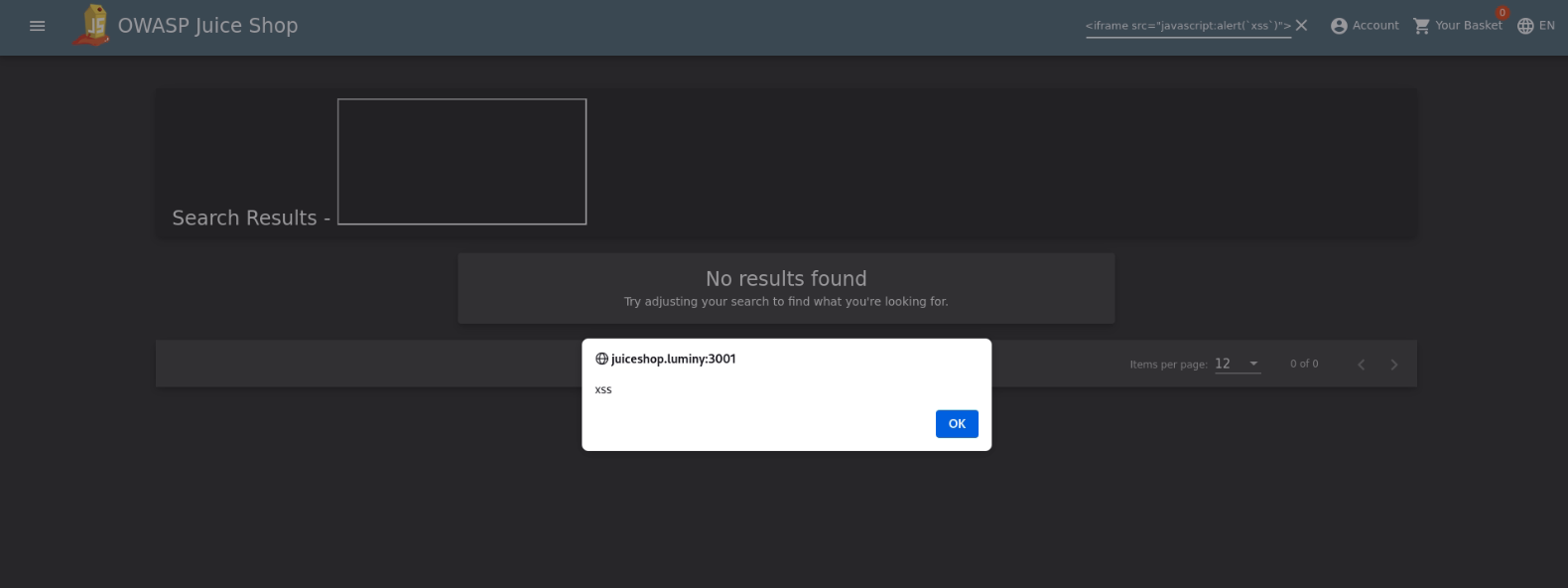
The search input reflects user input into the DOM without sanitization:
Payload: <iframe src="javascript:alert('xss')">
Injected into the search parameter, the <iframe> is rendered and executes. The application inserts the raw value into the DOM via innerHTML rather than using safe methods like textContent.
SQL Injection — Admin Login
The login form is vulnerable to SQL injection on the email field. Bypassing authentication with a classic payload:
| |
This closes the email string, adds a tautology, and comments out the password check. The application constructs its query by concatenating user input directly — no parameterized queries.
Password Strength Bypass
The registration form enforces a minimum password strength client-side. Intercepting the registration request in ZAP and replacing the password with a weak value (1) before it reaches the server bypasses the check — server-side validation not implemented.
Level 2 — Intermediate
SQL Injection — Enumeration
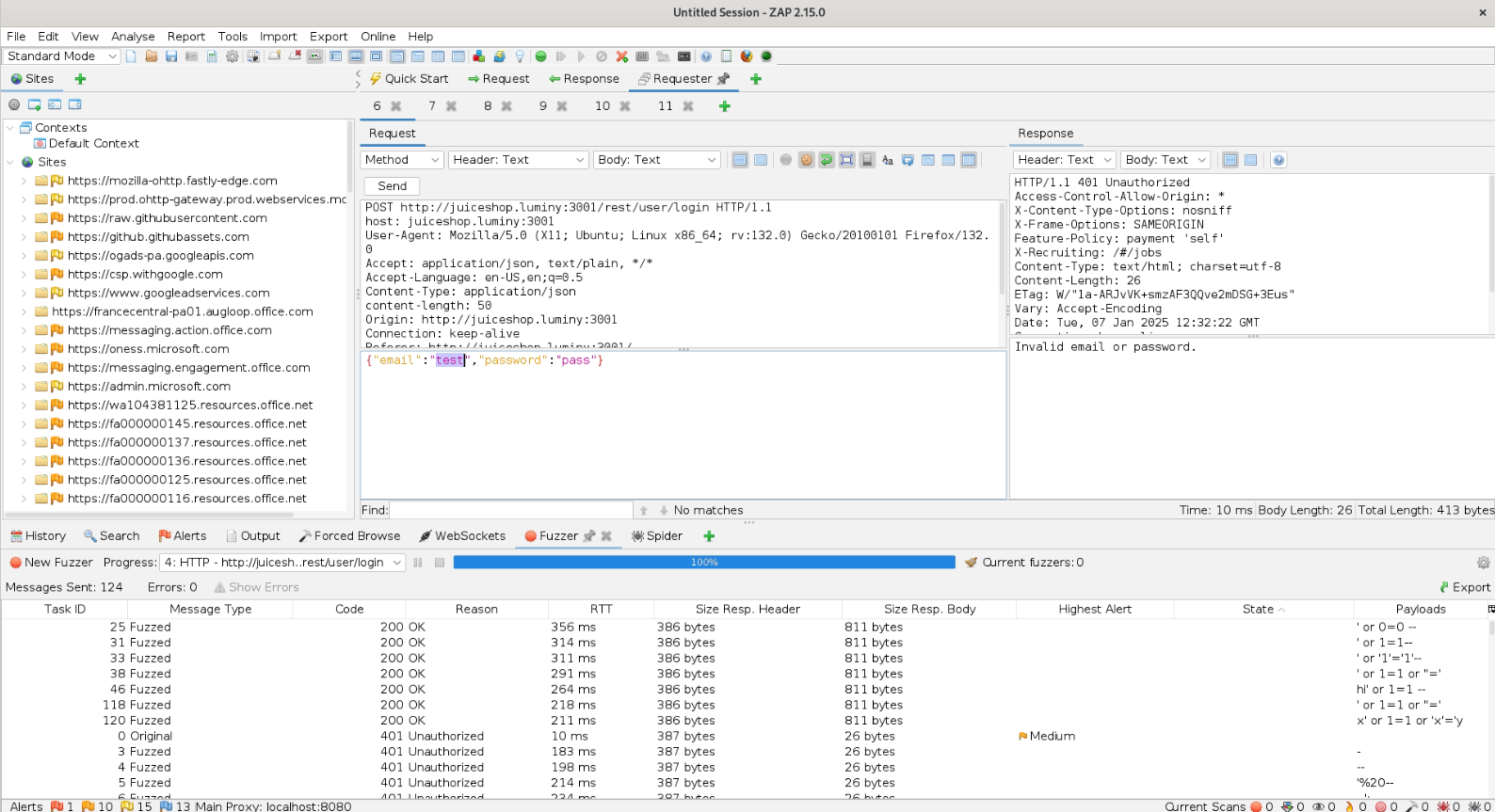
With the admin login bypass confirmed, the next step was enumerating user data. ZAP’s fuzzer was used on the email field with a wordlist of SQL injection payloads to:
- Extract the admin email address
- Enumerate other registered users
- Map the query structure
The application uses a single query pattern throughout authentication — no prepared statements.
Session Manipulation — Basket Access
Each user has a basket identified by an ID in a GET parameter. After authenticating, intercepting the basket request in ZAP and modifying the basket ID to another user’s value (e.g., changing ?basketId=3 to ?basketId=2) returns the other user’s basket without authorization check.
GET /rest/basket/2 → returns user 2's basket while authenticated as user 3
No server-side validation that the requested basket belongs to the authenticated user. Classic IDOR (Insecure Direct Object Reference).
Level 3 — Advanced
CSRF — Username Change
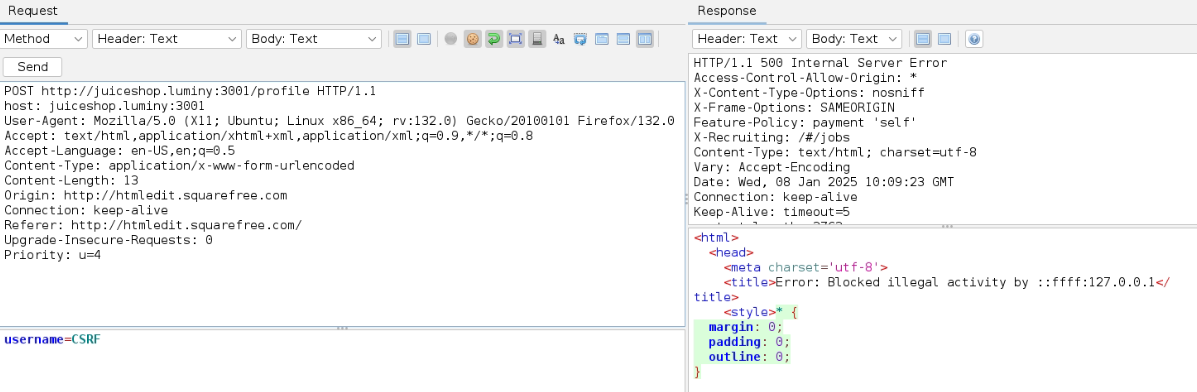
The application’s account settings endpoint is vulnerable to CSRF. A forged request crafted to point to an external server (squarefree.com) was used to change the target account’s username.
The request:
- Targets the username change endpoint
- Is sent from a page the victim visits
- Succeeds because the application does not validate the
OriginorRefererheader, and does not require a CSRF token
Payback Time — Negative Quantity Invoice
The order flow does not validate that quantities are positive integers. Setting item quantity to a negative value results in a negative line total, which propagates to the invoice:
Item: "Apple Juice" × -100 = -$89.90
Total: -$89.90
The application generates and accepts a negative invoice — a business logic vulnerability rather than a classic injection.
Level 4 — Expert
File Upload Bypass — Null Byte Encoding
The application restricts file uploads to specific extensions (PDF expected). Two null-byte techniques were used to bypass the extension check:
.pdf.ndb— appending.ndbafter a legitimate extension.pdf.jpg— appending.jpgto confuse the MIME/extension validator
The server checks the extension string but does not validate the actual file content or MIME type consistently. The null byte causes some validators to truncate at the null, reading only the initial .pdf.
FTP Enumeration
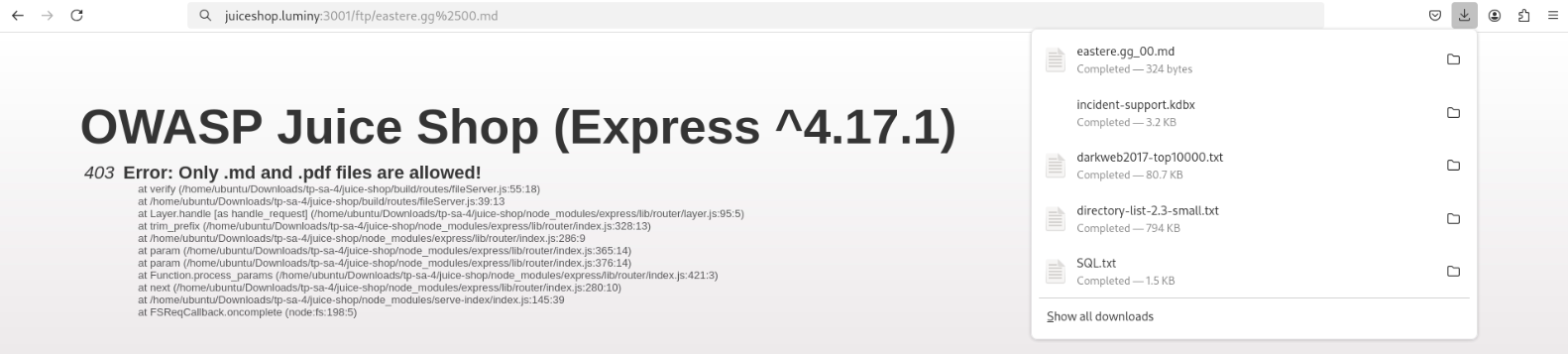
The application exposes an FTP server accessible without authentication (or with weak credentials). Enumerating the FTP root reveals:
- Directory listing of server files
- Backup files with predictable naming:
coupons.013.mdb.bak - Configuration artifacts not intended to be public
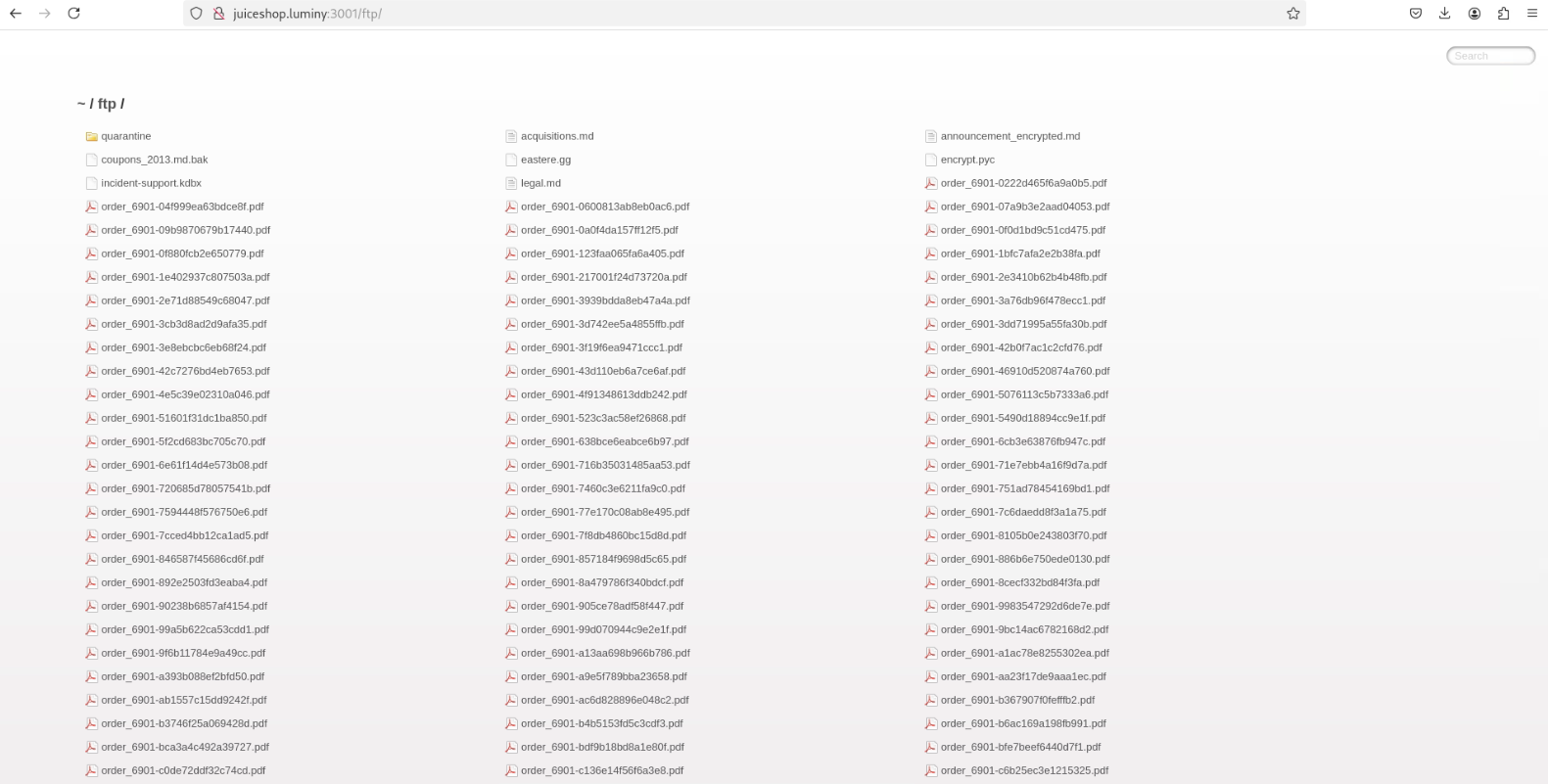
Backup File Access
Accessing coupons.013.mdb.bak through the FTP exposure retrieves a database backup. The .bak extension is not restricted from public access despite containing application data.
What I Learned
- SQL injection remains trivially exploitable when input is concatenated into queries — parameterized statements are non-negotiable
- Client-side validation is cosmetic — every check must be duplicated server-side
- IDOR requires object-level authorization checks per request, not just authentication
- CSRF tokens and Origin validation are not optional for state-changing requests
- File upload security requires validating file content (magic bytes), not just the extension string
- Business logic vulnerabilities (negative quantities, bypassed workflows) don’t show up in automated scanners — they require understanding the application’s intended behavior